Reference · Level 2 · one of the five
HR and payroll: the month runs itself, and CPF does not go wrong
Payroll, one place for every employee record, leave and claims, and the statutory filings - with the AI reading your own handbook, employment letters and payroll rules so answers come back with the policy they came from.
Part of the OwnYourAI corporate AI training reference. Payroll, people records, leave, claims and the statutory filings - the HR system a small Singapore company runs on.
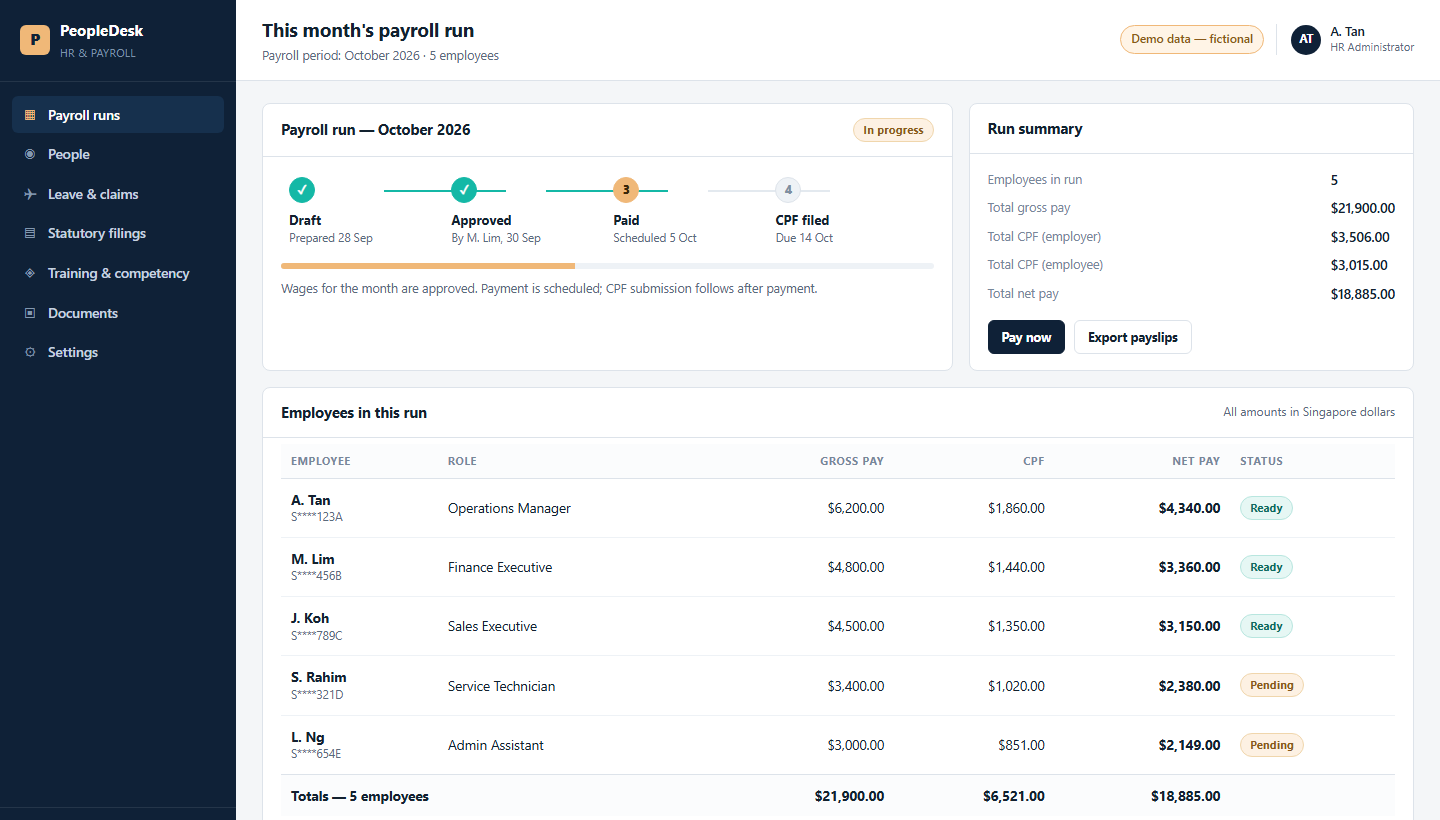
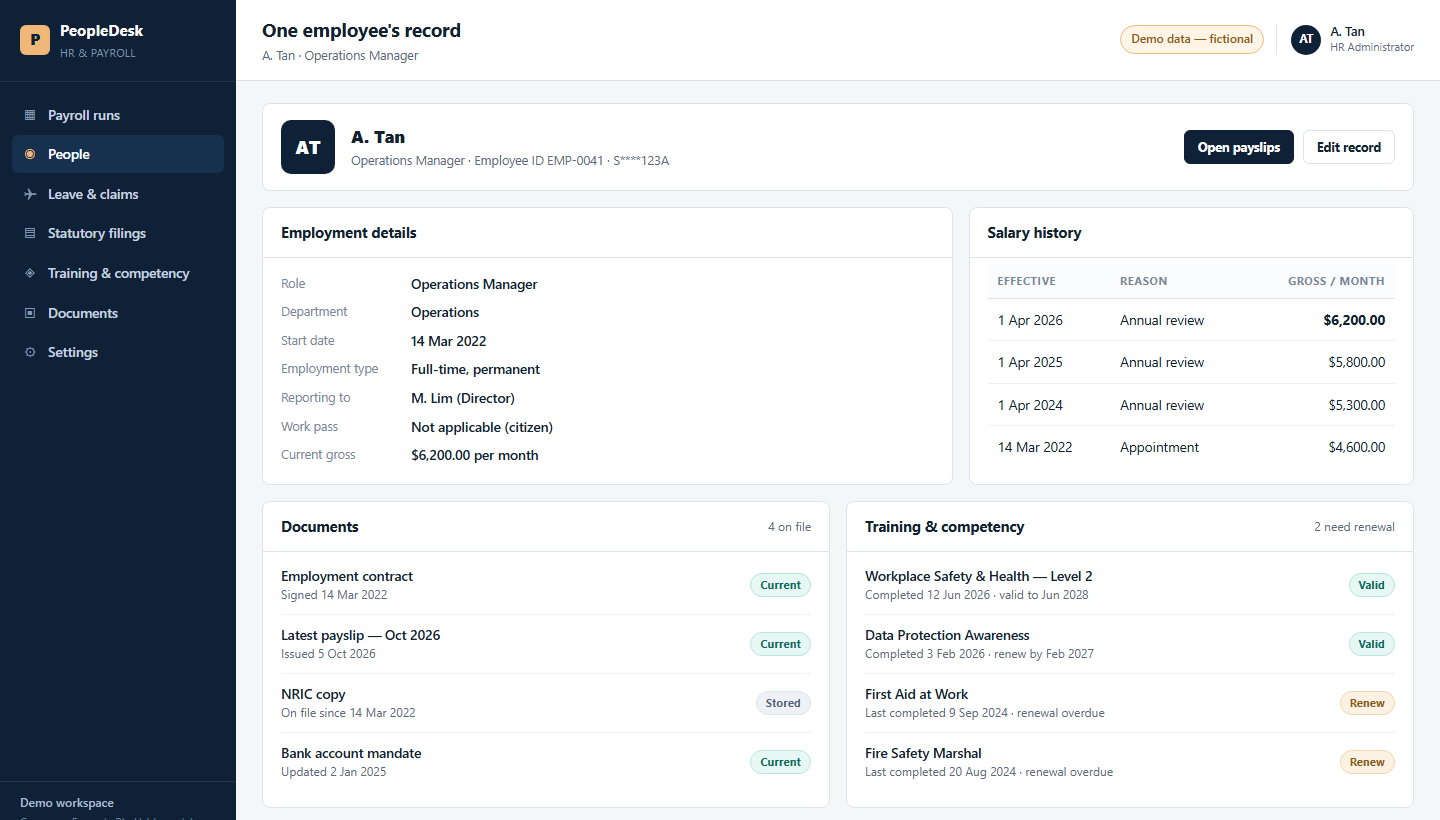
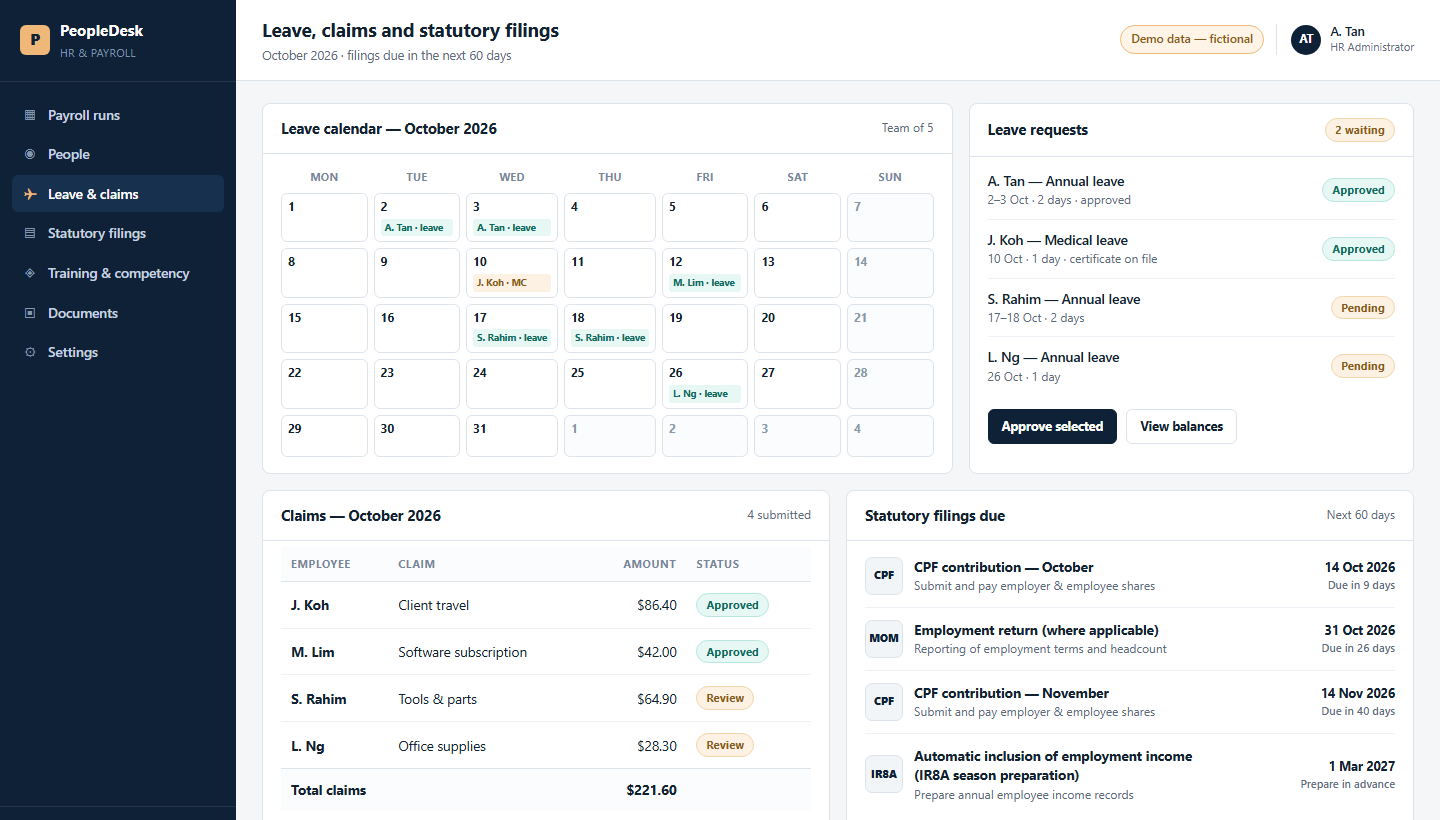
A quick look at what you can build: three screens showing the shape of the system and what it does, on illustrative data. No client's system and no client's data is shown. It is fair to want to see the work before you commit a seat.
Three screens
What the people who use it see
Same system, three moments in a working week.
Why the AI version
Why the AI version of HR
Almost every company already pays for HR software. The payslips still take days.
- What it costs you now. A month's payroll is a three-to-five-day job, and a CPF error is usually found late, by someone who has to re-do it.
- With the AI version. One sentence - prepare last month's payslips and give them to me as a PDF - and the run comes back with CPF worked out and every line checked against the payroll record.
- Measured, not claimed. On our own machine that one sentence produced five payslips, CPF done, as a real PDF, in 1 second - timed 5 Oct 2026 on our own AI rail, with fictional staff. The month's work is the same shape whatever the head-count.
- The part your current software cannot do. It stores the numbers. This reads the timesheet, the leave form and the MC, decides, and produces the payslip.
Behind the screens
What the course actually builds
The screens are the easy part to look at. This is the part that decides whether the system survives its first month - and the software and the data are the company's own. The machine under it is one we provide or recommend, so there is no hardware to buy; owning the whole thing is Level 3.
- Runs where you decide. On your own server or account, with your own staff accounts - not a shared public tool.
- Reads your own paperwork. The handbook, the employment letters, the payroll rules you already follow.
- Answers with the source. Every answer shows the policy or letter it came from, so a manager can check it.
- A person approves. Nothing is paid, filed or sent to an employee without a named person approving it.
Session by session
The 8 sessions: building the HR and payroll system
Every session is online learning at the person's own pace, with a scheduled live touchpoint inside it and a trainer present. Each one ends with something your company keeps: 24 hours in total for L2.
| # | The session | What your team does with it | What your company has at the end |
|---|---|---|---|
| 1 | Pick the job, and price the month in minutes | The team puts the monthly payroll cycle, the leave desk and the onboarding letters side by side, and counts what each one costs them every month. | One job chosen for the first build, with the minutes per month it costs the company now written down. |
| 2 | Map the records and the rules | Employee records, contracts, and the CPF, leave and medical rules the company already follows. The team marks what the agent may read and what it may never touch. | A one-page map of where each record lives, plus the do-not-enter list: bank details, NRIC and medical notes. |
| 3 | Write the brief, and the three limits | What the agent is told to do — draft the month, answer the leave question, prepare the letter — and the limits it may never cross. | A signed brief: it never invents an amount, it never cites a rule it cannot show, and nothing is filed or sent without a named person. |
| 4 | Build it on your own records | The first working version is built on the company's own records, and every figure it drafts shows the rule or the letter it came from. | A first working version running on the company's own data, not on a sample set. |
| 5 | Test it against a real month | The team runs last month's payroll through it and compares, line by line, with what the company actually paid. | A written difference list, and the list of what it got wrong — the part that decides whether it is trusted next month. |
| 6 | Guard the personal data | Salary, NRIC and medical information get their own rules: who may ask, what always needs a person, what is logged, and when each rule is reviewed. | The access list, the log, and a review date on every rule the agent cites. |
| 7 | Put it into the month's routine | The team decides who runs it, on which day, who signs off before anything is paid, and what happens when that person is on leave. | The monthly routine on one page, with a named owner for each step. |
| 8 | The build assessment | The month is run live, on fresh records, in front of the trainer, and the team says plainly what it checked and what the checks caught. | A running HR and payroll assistant: the agent, its brief, its limits, its log, and a named owner. |
Where these screens come from
A quick look at what you can build: three screens showing the shape of the system and what it does, on illustrative data. No client's system and no client's data is shown.
Built in the company's own accounts, on the company's own documents, with its own staff logins: the software and the data stay with the company. The machine under it is one we provide or recommend - no hardware to buy. Owning the whole thing is Level 3.
We keep it fair: your documents, your accounts, your numbers.
Next step
Start with the free AI Readiness Report
Tell us the team and the work. We send back a written report on what to build first, what it would take, and what it would change - before you commit to a single seat.
No fee is quoted until you ask for one.